
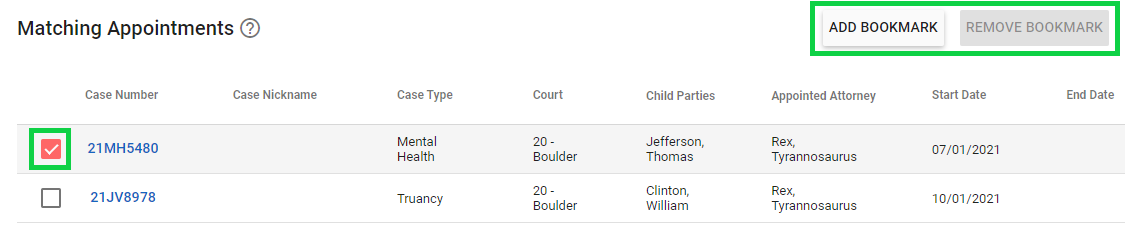
If you are looking for a way to differentiate appointments in your Cases > My Appointments screen, you can Bookmark any appointment by checking a box beside it and clicking Add Bookmark. This is simply a tool to organize your list of appointments however you would like. Bookmarks are private to your CARES login--no one else, even within your office, shares your bookmarks. Use the Remove Bookmark button if you want to un-bookmark an appointment later.
View Bookmarked Appointments:
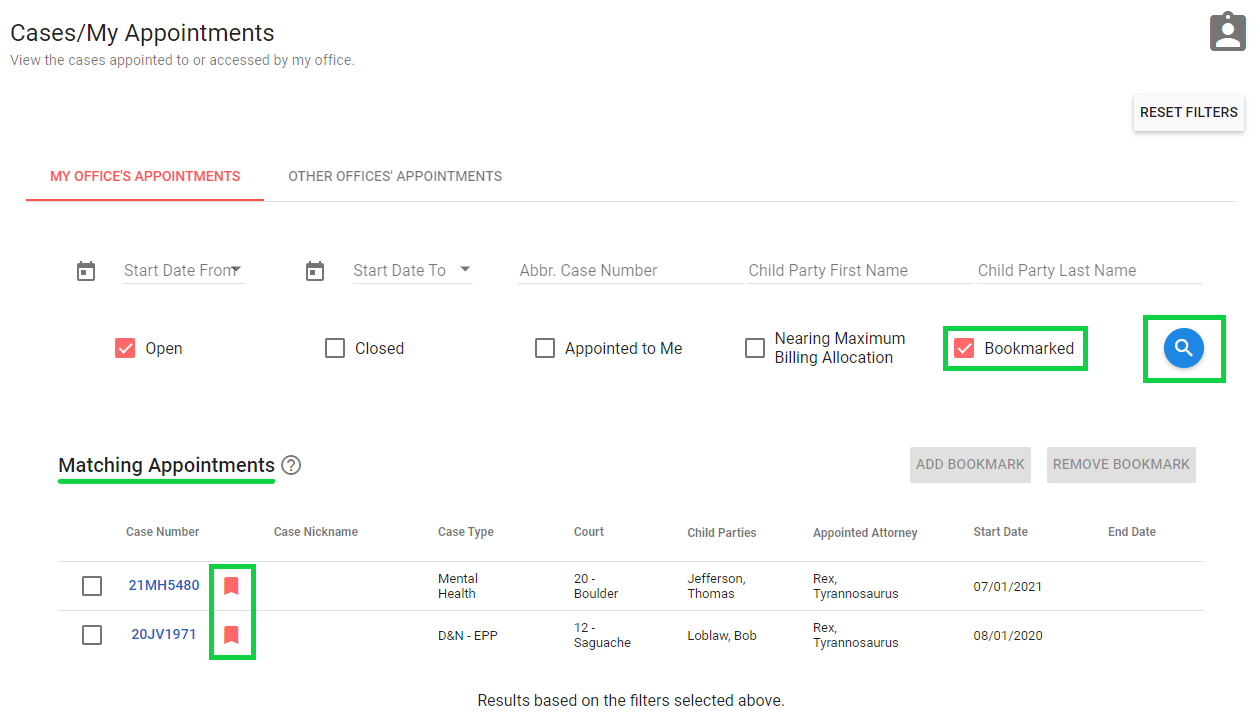
Bookmarked appointments get a red bookmark icon beside them, making them stand out more easily among all your appointments. There is also a search filter at the top of the screen that you can use to view only bookmarked appointments. Check the box beside the Bookmarked filter, then click the Magnifying Glass to apply the selected search filter(s) (pictured below). The list of appointments on the screen will update to show only the ones you have bookmarked:
View All Appointments:
CARES remembers any filters you had selected on this screen for the next time you visit, including "Bookmarked," allowing you to save a preferred view. You can always click the Reset Filters button in the upper right of your My Appointments screen any time to view all your office's open/active appointments again:
