
The Financial Profile provides a financial summary of the appointment:
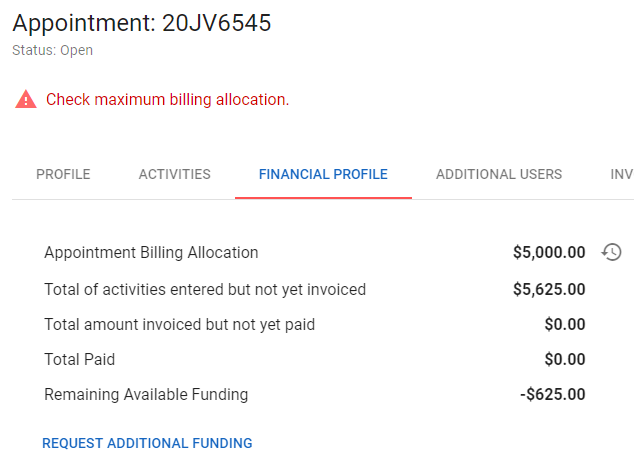
Note, "invoiced" status refers to submitted invoices. Activities from draft or rejected invoices are not considered "invoiced."
Clock Icon: Allocation History
You can click on the clock icon to the right of the Appointment Billing Allocation amount to view the history of your allocation and any changes resulting from Additional Funding Requests.
For more on requesting additional funds, see Additional Funding Requests.